
emeDigital logo
Ortery UK, Ireland and Russian Federation Exclusive Partner: 020 8987 2744


Responsive Deep Zoom 360, Hemispherical and Spherical spins


PhotoStudios:

WhiteLight

Whitelight XL

LED 360

LED 115

Macro

Macro Watch

Zoomable Spins

Not only can browsers spin these images in every direction but can zoom in as well, thus seeing all the detail. These images can be labelled to explain the features of the product.

The bundled True Views image authoring software produces amazing product animations featuring click-and-drag mouse control and deep zooming from every angle. The output allows tagging of images that can then be shown as a sequence or presentation.


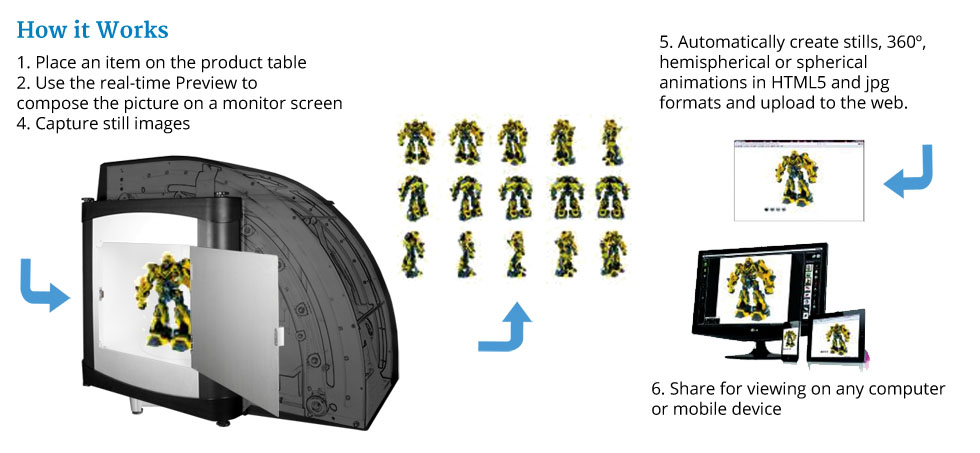
To create an animation you simply select how many pictures you want per row: options go from 4 right up to 360 shots, and how many rows you want. The more shots you include the smoother the animation but the larger the file. Place your product on the middle of the turntable and the software then controls the turntable and the camera, stopping at the defined points and at each point capturing an image. These are then automatically converted in to an animation.


Focus Stacking

Focus Stacking

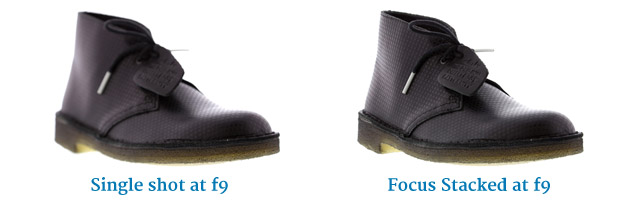
Products an be sharp front to back, even small items like jewellery shot close up.
Our software takes a series of images and compiles them into a single, sharp one.
You can also use it to capture very fine details.


AfterImage

AfterImage

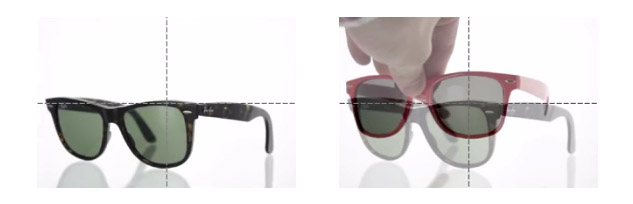
Users can overlay a transparent image from a previous shot to ensure consistent shooting angles when photographing similar products.

You can assign names to your AfterImages and use the search facility to find them. Save up to 200 AfterImages!


FTP

Automatic FTP File uploading

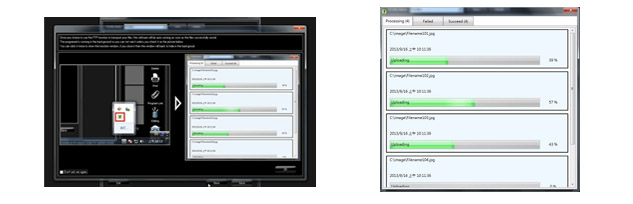
New FTP uploading settings allow the user to setup multiple profiles for automatic transferal of images and animations to servers in the background.


Highlight Alert

Highlight Alert

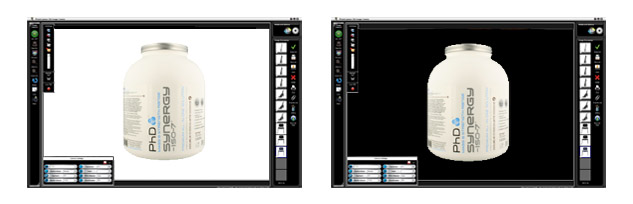
Check that you have a white background and your product isn't over exposed with Hightlight Alert. The pure white areas of the picture are shown in black.


Advanced Editing

Advanced Editing

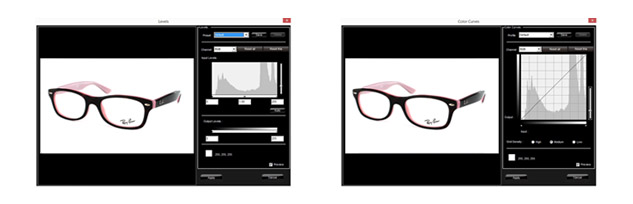
Users can edit single images or a batch of images using advanced editing features such as Levels and Curves. The settings can be saved and automatically applied to other images.

You can set the black point (darkest areas) and the white point (lightest areas). This quickly applies the correct contrast for the image and ensures the background is true 255 white.


Advanced Saving

Advanced Saving

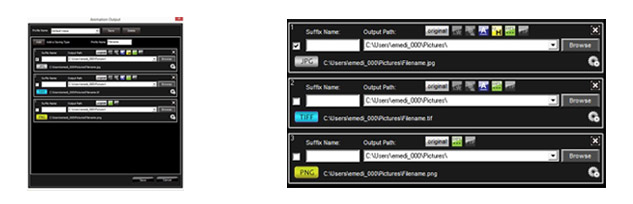
Multiple copies of images and rotations can be saved with different parameters using just one click. The user pre-defines the save settings including - file name, iImage size, save location, image resolution and compression. Users can also choose to add a watermark, annotations, magnifier and batch editing presets.

Create Professional 3D Product Shots in minutes

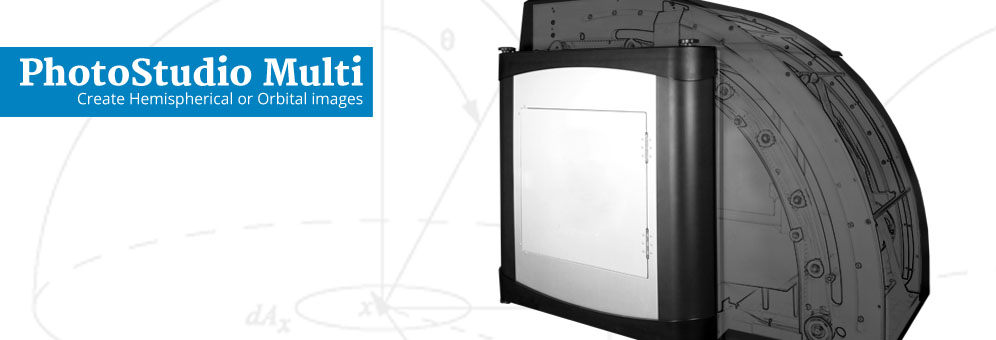
More and more companies are using 360 product photography to obtain high quality images of their products. These can be displayed as 360º images on their websites, as animated pictures provide more information and attract more attention. The 360 photography equipment can simultaneously save the images as a series of stills, with or without editing or watermarking. The PhotoStudio Multi makes 3D product photography simple and fast.

Computer Controlled
The Multi uses a camera mounted on a precision rail to take 'rows' of photographs as the product rotates on a turntable. Each row is taken from a different height to build up a series of images in a 'hemisphere'. You can also use the equipment to capture a single row for standard 360 product photography.

Annotation and Editing Tools
You can use the Image Creation Software to draw or write text on images to increase their communication value.

Several Output Options
The images are then exported to the True Views software to create a fully zoomable and taggable Hemispherical or Spherical HTML5 presentation.


  • No experience necessary - almost anyone can use the Multi to create professional-quality images
  • Camera settings are pre-set for obtaining optimal results when shooting items inside the light box
  • Users can Preview, Crop and compose images on their PC monitor screen in real time
  • Focus Stacking gives images that are sharp from front to back
  • Users can pre-set saving parameters so images taken with the Multi are automatically named, resized and saved to a local or network folder
  • The Multi reduces photo setup, image transfer and image editing time
  • Batch saving, batch image resizing and image annotation features increase efficiency
  • Images can be exported to 3rd party imaging programs or databases
  • Users can create top and side shot photos from many angles
  • Excellent craftsmanship and one-year warranty and free technical support

Minimum System Requirements

OS: Windows 7 / 8 / 10 (latest Service Packs) (Administrator account to install)

CPU: Intel Core™ i3 or better

RAM: 4GB

Internet connection with active email account (optional)

Min 2 USB Ports, CD/DVD ROM drive

Specifications

Dimensions (L x W x H): 112 x 72 x 88cm

Turntable size: 39cm

Centered capacity: 9kg

Power requirements: 240v

Components

PhotoStudio Multi.
Utilizes daylight lamps to produce a uniform lighting environment.

PhotoStudio Image Creation Software.
The software manages digital camera settings, file management and image editing. Also includes: batch saving, image annotation and batch or individual image resizing features.

True Views Software
This breakthrough image authoring tool turns ordinary JPG images into amazing product animations featuring click-and-drag mouse control and deep zooming from every angle.

Accessories.
Daylight balanced flourescent lamps, Side shot background, Product stand, Free technical support and a one-year warranty with software upgrades.

To run on a Mac you will need an Intel based Mac and a copy of Windows.running under Boot Camp, VMware or Parallels Desktop.


© EME Digital 2019