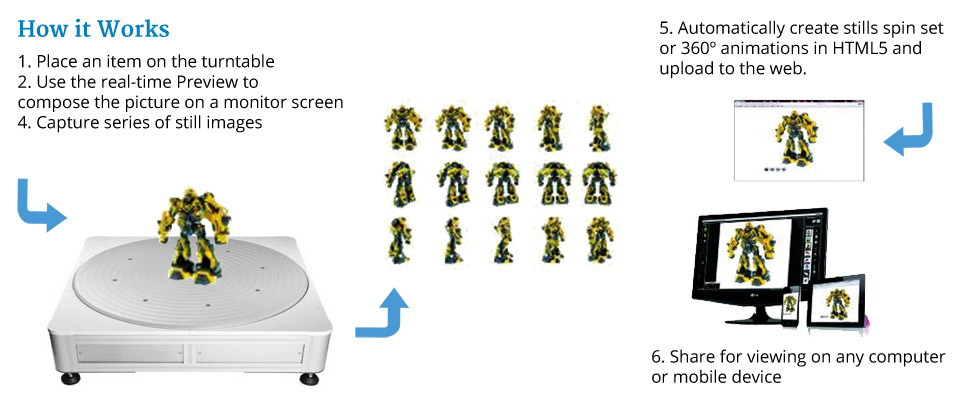
The Photocapture 360 software automates image capture by synchronizing picture taking with turntable movement. With invaluable features such as Full Screen Live Preview, Afterimage, Advanced Saving, 360 Image Magnifier and more. Photocapture 360 quickly and efficiently captures still shots and then outputs professional product animations in HTML5.
Use Video mode to capture footage in mov or mp4 formats.
For enhanced animations with even more detail, consider our TrueViews 360 software for creating HTML5 animations with deep zooming, image tagging and more.
 |
Workflow Profiles |
Save your camera settings, pre-crop
ratio, output paths, output sizes and output filetypes as Profiles. Use these to automate your image capture so that you can capture and save a 24 shot spin in multiple formats in less than 3 minutes. All you do is click a single icon, enter a reference and the software does the rest. |
|
 |
Video |
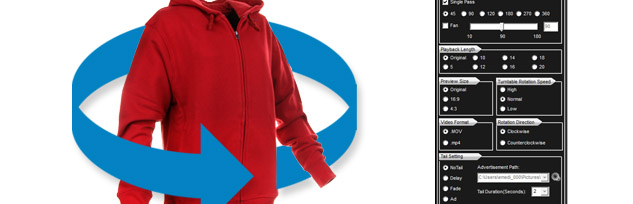
Create video in mov or mp4 formats. Preselect the length of the finished footage and choose from a full 360 or an arc. |
|
 |
AfterImage |
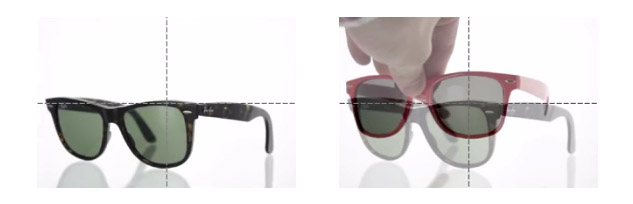
Users can overlay a transparent image from a previous shot to ensure consistent shooting angles when photographing similar products.
You can assign names to your AfterImages and use the search facility to find them. Save up to 200 AfterImages!
|
|
 |
Focus Stacking |
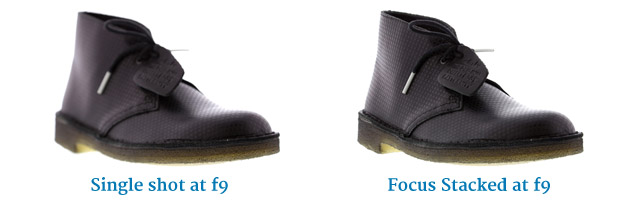
Products an be sharp front to back, even small items like jewellery shot close up.
Our software takes a series of images and compiles them into a single, sharp one.
You can also use it to capture very fine details.
*Continuous lighting required for Focus Stacking
|
|
 |
Automatic FTP File uploading |
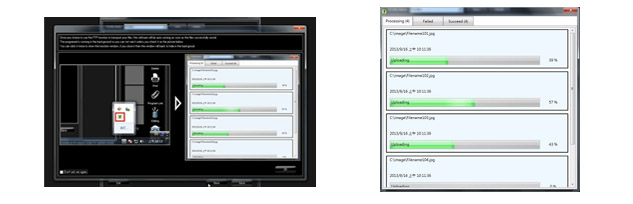
New FTP uploading settings allow the user to setup multiple profiles for automatic transferal of images and animations to servers in the background.
|
|
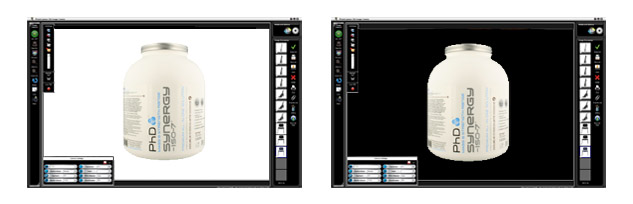 |
Highlight Alert |
Check that you have a white background and your product isn't over exposed with Hightlight Alert. The pure white areas of the picture are shown in black.
*Continuous lighting required for Highlight Alert
|
|
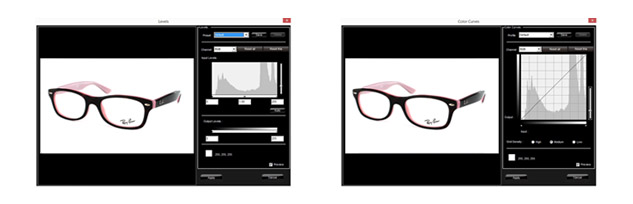 |
Advanced Editing |
Users can edit single images or a batch of images using advanced editing features such as Levels and Curves. The settings can be saved and automatically applied to other images and spin sets.
You can set the black point (darkest areas) and the white point (lightest areas). This quickly applies the correct contrast for the image and ensures the background is true 255 white.
|
|
|
Advanced Saving |
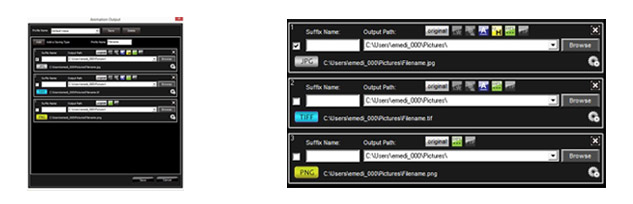
Multiple copies of images and rotations can be saved with different parameters using just one click. The user pre-defines the save settings including - file name, iImage size, save location, image resolution and compression. Users can also choose to add a watermark, annotations, magnifier and batch editing presets.
|
|
Create Product Shots for Websites, Product Catalogs, Publications, Reports, Presentations, Archival and More...
Effective Business Communication
Sales, marketing, engineering, quality control, manufacturing, art design and procurement are just some of the departments that can benefit from this solution
Medical, Research and Evidence Photography
Creates detailed and professional images for the analysis of scientific, medical or forensic research. Focus stacking can reveal high levels of detail where needed
Image Database Creation
PhotoCapture software is ideal for quickly capturing and storing hundreds of images per day
Quick eMail and Application Link
Images taken with PhotoCapture software and a compatible camera can be quickly shared with others via email, dropped into any other image editing application or saved to a designated folder
Remote Proofing
Images taken with PhotoCapture software can be sent via email direct from the software
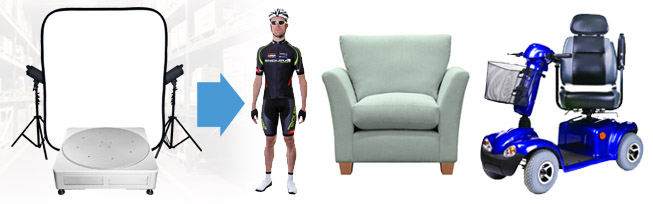
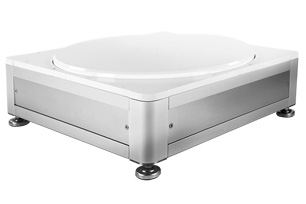
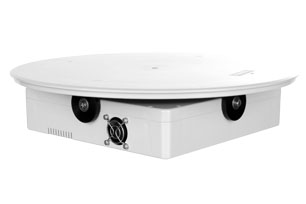
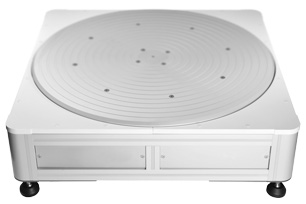
Computer-controlled 360 Product Photo Turntable. Automates Image Capture and Processing
System Control Software Simplifies Still and 360 Product Photography
Automatic Image Capture, Download and Batch Image Processing
Creates Professional Photos (JPG, TIF, PNG ,RAW), 360-Degree Animations (HTML5 and GIF) and Video (MOV, MP4)
360 Animations feature Interactive Product Views with Click and Drag Mouse Control, Inertia, Magnification and a Customizable Look and Feel
Create 24 Frame 360 Product Views (from beginning to end) in Less than 3 Minutes per Product
360 Product Views in HTML5 are Optimized for Viewing on Any Computer or Mobile Device
Full Camera Control Via Software for Compatible Canon and Nikon DSLR cameras.
Optimize Camera Settings then Save for Reuse
Large real-time preview - See Everything Before it is Captured
Achieve Maximum Consistency Between Shots with AfterImage
Still Shot and 360 Magnifiers for Displaying Photos and Animations Up Close
Multiple Camera Control - Control Several Canon Cameras Simultaneously to Enhance Productivity
Advanced Saving Mode – Use Preset Profiles to Save Images in Multiple Sizes and Formats with One-click
Advanced 360 Capture and Advanced 360 Saving Features Allow Users to Re-use Previous Settings to Increase Throughput
Pre-crop – Save Time by Cropping Images in the Real-time Preview Before Image Capture
Watermark and Edit Images Individually or in a Batch Process
Built-in Levels, Curves and Background Removal Capabilities
Send Images to Any 3rd Party Editor Such as Photoshop or to a Local or Network Folder
Annotate and Send - Take, Annotate and Send Photos in Seconds
Excellent Craftsmanship, Free Technical Support, One-year Free Software Upgrades
Minimum System Requirements
OS: Windows 7 / 8 / 10 (latest Service Packs) (Administrator account to install)
CPU: Intel Core™ i3 or better
RAM: 4GB
Internet connection with active email account (optional)
Min 2 USB Ports, CD/DVD ROM drive
They all come with three year free technical support and hardware warranty, and one year free software updates.